'%20stroke-width='1.5'/%3e%3cg%20fill='%231be0c6'%3e%3cpath%20d='m32.25%2029h1.5v6h-1.5z'/%3e%3cpath%20d='m36%2033h-6l3%204z'/%3e%3c/g%3e%3c/svg%3e)
'%20stroke-width='1.5'/%3e%3cpath%20fill-rule='evenodd'%20clip-rule='evenodd'%20d='M35.125%2029H35V27.5H33.5V29H32.5V27.5H31V29H30.5H29V30.5V32.25V33.75V35.5V37H30.5H31V38.5H32.5V37H33.5V38.5H35V37H35.125C36.4367%2037%2037.5%2035.9367%2037.5%2034.625C37.5%2033.9964%2037.2558%2033.4248%2036.8571%2033C37.2558%2032.5752%2037.5%2032.0036%2037.5%2031.375C37.5%2030.0633%2036.4367%2029%2035.125%2029ZM30.5%2030.5H35.125C35.6082%2030.5%2036%2030.8918%2036%2031.375C36%2031.8582%2035.6082%2032.25%2035.125%2032.25H30.5V30.5ZM35.125%2033.75H30.5V35.5H35.125C35.6082%2035.5%2036%2035.1082%2036%2034.625C36%2034.1418%2035.6082%2033.75%2035.125%2033.75Z'%20fill='%231BE0C6'/%3e%3cdefs%3e%3clinearGradient%20id='paint0_linear_11576_70700'%20x1='23'%20y1='33'%20x2='43'%20y2='33'%20gradientUnits='userSpaceOnUse'%3e%3cstop%20stop-color='%231D56F5'/%3e%3cstop%20offset='1'%20stop-color='%2300B3F5'/%3e%3c/linearGradient%3e%3c/defs%3e%3c/svg%3e)
'/%3e%3cpath%20d='M32.5%2034.4883H37.5'%20stroke='%231BE0C6'%20stroke-width='1.5'/%3e%3cdefs%3e%3clinearGradient%20id='paint0_linear_8794_15706'%20x1='27'%20y1='34.2943'%20x2='44.0549'%20y2='34.2943'%20gradientUnits='userSpaceOnUse'%3e%3cstop%20stop-color='%231D56F5'/%3e%3cstop%20offset='1'%20stop-color='%2300B3F5'/%3e%3c/linearGradient%3e%3c/defs%3e%3c/svg%3e)
'%20stroke-width='1.5'/%3e%3cpath%20d='M31%2031H39'%20stroke='%231BE0C6'%20stroke-width='1.5'/%3e%3cdefs%3e%3clinearGradient%20id='paint0_linear_1223_27506'%20x1='25'%20y1='39.5488'%20x2='37.8691'%20y2='17.1844'%20gradientUnits='userSpaceOnUse'%3e%3cstop%20stop-color='%233165F5'/%3e%3cstop%20offset='1'%20stop-color='%231DBBF5'/%3e%3c/linearGradient%3e%3c/defs%3e%3c/svg%3e)
'%20stroke-width='1.5'/%3e%3crect%20x='32'%20y='29.75'%20width='1.5'%20height='6'%20fill='%231BE0C6'/%3e%3cdefs%3e%3clinearGradient%20id='paint0_linear_26_143'%20x1='23'%20y1='41.5488'%20x2='35.8691'%20y2='19.1844'%20gradientUnits='userSpaceOnUse'%3e%3cstop%20stop-color='%233165F5'/%3e%3cstop%20offset='1'%20stop-color='%231DBBF5'/%3e%3c/linearGradient%3e%3c/defs%3e%3c/svg%3e)
'%20stroke-width='1.5'/%3e%3cpath%20d='M35.9611%2028H32.7286L29.9999%2033.76H32.2652L31.3974%2038L35.9999%2032.6323H32.9632L35.9611%2028Z'%20fill='%231BE0C6'/%3e%3cdefs%3e%3clinearGradient%20id='paint0_linear_6189_76518'%20x1='23'%20y1='41.5488'%20x2='35.8691'%20y2='19.1844'%20gradientUnits='userSpaceOnUse'%3e%3cstop%20stop-color='%233165F5'/%3e%3cstop%20offset='1'%20stop-color='%231DBBF5'/%3e%3c/linearGradient%3e%3c/defs%3e%3c/svg%3e) Get Started
Get Started'%20fill='url(%23paint0_linear_26_134)'/%3e%3cdefs%3e%3clinearGradient%20id='paint0_linear_26_134'%20x1='35.2581'%20y1='35.6239'%20x2='35.445'%20y2='33.3493'%20gradientUnits='userSpaceOnUse'%3e%3cstop%20stop-color='%233165F5'/%3e%3cstop%20offset='1'%20stop-color='%231DBBF5'/%3e%3c/linearGradient%3e%3c/defs%3e%3c/svg%3e) Tutorials
Tutorials'%20stroke-width='1.5'/%3e%3cpath%20d='M16%2033C16%2033%2018.5%2030%2024%2030C29.5%2030%2032%2033%2032%2033'%20stroke='%231BE0C6'%20stroke-width='1.5'/%3e%3cdefs%3e%3clinearGradient%20id='paint0_linear_3104_84810'%20x1='19'%20y1='26.3658'%20x2='28.5193'%20y2='13.6404'%20gradientUnits='userSpaceOnUse'%3e%3cstop%20stop-color='%233165F5'/%3e%3cstop%20offset='1'%20stop-color='%231DBBF5'/%3e%3c/linearGradient%3e%3c/defs%3e%3c/svg%3e) Expert Reviews
Expert Reviews'%20stroke-width='1.5'/%3e%3crect%20x='27'%20y='33'%20width='6'%20height='1.5'%20fill='%231BE0C6'/%3e%3cdefs%3e%3clinearGradient%20id='paint0_linear_1223_27321'%20x1='17.75'%20y1='37.9878'%20x2='20.3947'%20y2='37.8395'%20gradientUnits='userSpaceOnUse'%3e%3cstop%20stop-color='%233165F5'/%3e%3cstop%20offset='1'%20stop-color='%231DBBF5'/%3e%3c/linearGradient%3e%3c/defs%3e%3c/svg%3e)


Always One Step Ahead
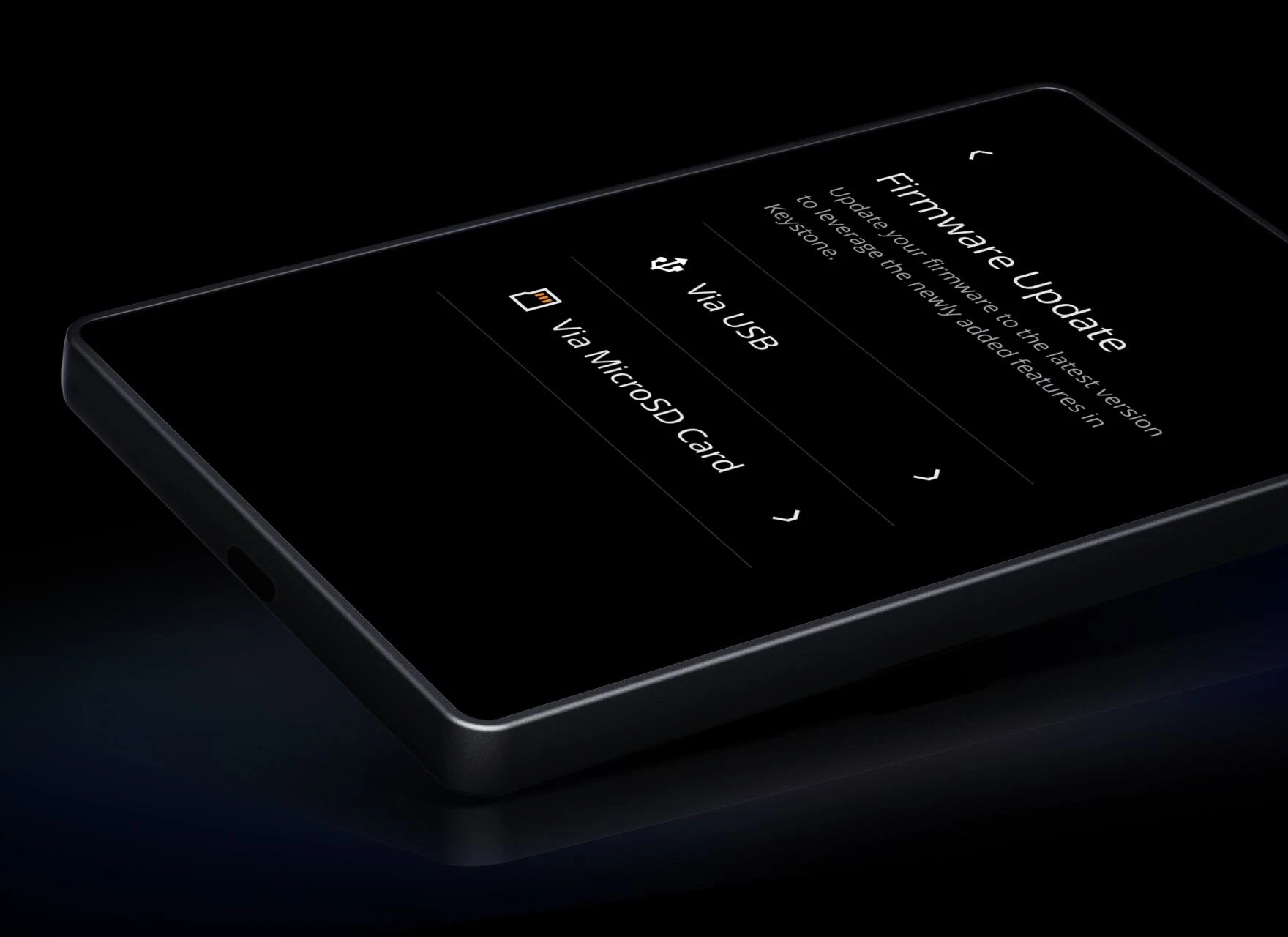
Firmware Update
Hardware Wallet
Keystone 3 Pro
Firmware Upgrade
Software Wallet
Keystone Nexus
Mobile App
Last Steps
Ultimate Security
Checklist
Select Firmware Type
version: 0.0.58
2026-09-04
Multi-Coin Firmware


'/%3e%3cdefs%3e%3clinearGradient%20id='paint0_linear_16749_85597'%20x1='10.4395'%20y1='29.9282'%20x2='29.4997'%20y2='10.8679'%20gradientUnits='userSpaceOnUse'%3e%3cstop%20stop-color='%23CB4EE8'/%3e%3cstop%20offset='1'%20stop-color='%2310F4B1'/%3e%3c/linearGradient%3e%3c/defs%3e%3c/svg%3e)


5500+
45+
version: 3.0.4-CYPHERPUNK
2026-08-12
Cypherpunk Firmware


ZEC XMR
BTC
version: 3.0.4-BTC
2026-08-12
Bitcoin-Only Firmware
BTC
Change log
Three versions update simultaneously. Lower versions can upgrade to higher versions of other firmware types, and same-version upgrades are allowed.
Multi-Coin(Default)
0.0.58
CI debug staging release validation
3.0.4
What's new
- Added support for Solana CLI
- Supported managing BTC and ADA assets using Lace Wallet
Improvements
- Optimized transaction parsing
3.0.0
Improvements
- Improved the "Forgot Passcode" flow and passcode strength validation
- Enhanced security policies
- Optimized AR-related calculation logic
2.5.0
Improvements
- Improved Dice Roll Entropy Validation
- Improved Unlock Passcode Verification
- Improved TON transaction UI
2.4.6
What's new
- Support babylon derive context hash call
2.4.4
Improvements
- Removed the Leap Wallet connection entry
2.4.2
What's new
1. Supported managing TRON via NuFi
- Supported managing Native SOL via Keystone Nexus
Improvements
Removed TON-only wallet support. (Please ensure all assets in your TON-only wallet are transferred to the default multi-coin wallet address before updating.)
Improved BTC transaction parsing
Improved SUI transaction parsing
Improved TRON swap transaction parsing
Improved Core wallet transaction parsing
Updated Keplr wallet icon
2.4.0
What's new
- Enhanced firmware upgrade security mechanisms
- Supported X Layer transactions
2.3.10
What's new
- Supported managing ADA1 via Keystone Nexus
- Supported managing ADA2 via Gero Extension
2.3.8
What's new
- Supported managing BTC, LTC, BCH, DOGE, and TRON via Nabox
- Supported managing BTC via BULL
2.3.6
What's new
- Supported ZEC transparent address
- Supported managing ZEC transparent address via Keystone Nexus
Improvements
- Improved wallet connection stability
2.3.4
What's new
- Supported LTC Native SegWit addresses
- Supported managing LTC via Keystone Nexus
- Supported managing SOL assets via USB connection with Jupiter Wallet extension
2.3.2
What's new
- Supported managing EVM assets using Nabox Wallet
Improvements
- Optimized the BTC wallet connection UI
- Optimized the BTC change output display logic
Bug Fixes
- Fixed message signing issue for TON-only wallets
2.3.0
What's new
- Support managing BTC Taproot addresses via BlueWallet
Improvements
- Optimized firmware code, enhancing overall stability
- Optimized BTC Sign Message workflow
- Optimized SOL Squads multisig transaction parsing
Bug Fixes
- Fixed address path type synchronization issue for Eternl under Passphrase wallets
2.2.20
What's new
- Added support for parsing certain ERC20/BEP20 Token transactions
Improvements
- Optimized chain name display for certain EVM chains
- Updated the Korean permit signing text
Bug Fixes
- Fixed signing error when signing TON transactions with large data
- Fixed an issue when signing SOL transactions on Kamino
2.2.18
What's new
- Added support for parsing DOGE transactions sent to P2SH addrresses
- Added support for parsing DOGE PSBT
Bug Fixes
- Fixed BTC message signature interruption caused by colons
- Fixed issue with certain IOTA transactions
2.2.16
What's new
- Added toggle for PIN shuffle
- Added Passphrase setup support in wallet initialization (create/import)
2.2.14
What's new
- support for BSC transfers and swap on Keystone Nexus
- Introduced randomized PIN input for enhanced security
- Added connection entry for IOTA Wallet
Bug fixes
- Fixed an issue where certain ADA transactions caused the device to restart during signing
2.2.12
What's new
- Support for ADA using Shamir Backup
Bug Fixes
- Fixed an issue with Cardano passphrase message signing
- Improved transaction error messages
2.2.8
Bug Fixes
- Fixed an issue with custom path signing
2.2.6
What's new
1.Compatible with the updated SLIP-39 protocol
2.2.4
What's new
- Support for XRP swap transactions via Keystone Nexus
Bug Fixes
- Fixed UI issue when connecting to Suiet wallet
2.2.2
Bug Fixes
- Optimized slow parsing issues in certain EVM transaction scenarios.
2.2.0
What's new
- Supported managing IOTA assets via Nightly Wallet
Bug Fixes
- Fixed an issue where the device would occasionally enter sleep mode unexpectedly
- Fixed a bug where the battery UI did not display full charge correctly
2.1.8
Nothing Updated
2.1.6
Improvements
- Optimized swap transaction parsing to support swap via Keystone Nexus
2.1.4
Nothing Updated
2.1.2
What's new
- Added support for swap operation via Keystone Nexus
2.1.0
What's new
- Added support for managing AVAX assets via USB connection with Core Wallet
- Added support for managing ADA/BTC assets via USB connection with NuFi Wallet
- Added support for managing ADA assets with Medusa Wallet
2.0.8
Improvments
1.Stability enhancement for USB firmware upgrade communication
2.0.6
What's new
- Supported managing DOGE assets using Keystone Nexus
- Supported managing AR/AO assets using Beacon Wallet
- Supported managing SOL/ETH assets using NuFi Wallet via USB
- Supported managing SUI assets using Backpack Wallet
- Added support for Cardano-HW-CLI
- Supported BTC staking using Babylon Bitcoin Staking
- Suppported managing assets on Neutaro and Babylon App Chain in Cosmos
Bug Fixes
- Fixed signing error when signing EVM transactions with large data
- Fixed an issue when signing ADA transactions
- Fixed device reboot issue after QR scanning on SOL
2.0.4
What's new
- Enhanced Firmware Upgrade security mechanisms
- Added Recovery Mode Setting for user-controlled customization
2.0.2
What's new
Supported managing BTC,ETH,TRX,and certain ERC20,TRC20 assets using Keystone Nexus Wallet
Moved ZEC asset management from Multi-coin firmware to Cypherpunk firmware
Improvements
- Optimized transaction parsing for Safe multisig contract transaction
2.0.0
What's new
- Enhanced security mechanisms with the addition of firmware upgrade self-check and integrity verification
Improvements
- Optimized UI design and interaction experience on the home page, asset management page, and wallet connection page
- Improved UI display for certain pages in the Russian language environment
- Corrected text errors in the Korean language environment
1.8.2
Bug Fixes
- Fixed the issue of long unlocking time after entering the password
- Fixed the issue where rapidly switching the number of mnemonics during SLIP39 wallet creation caused creation failure
- Fixed message signing errors in certain Solana scenarios
1.8.0
What's new
- Supported managing ZEC assets using Zashi Wallet
1.7.16
Bug Fixes
- Fixed device reboot issue during message signing on Solana.
1.7.14
What's new
- Increased the number of supported SOL receiving addresses to 50
- Added support for Cardano Tag 258 transaction type, enhancing transaction compatibility and network interoperability
Bug Fixes
- Fixed an issue with signing LTC transactions using the OKX wallet
1.7.12
What's New
- Supported managing assets on Neutron App Chain in Cosmos
Bug Fixes
- Fixed device reboot issue after QR scanning with Backpack for Squads transactions
1.7.10
What's new
- Supported managing BTC assets using ZEUS Wallet
- Supported managing COSMOS assets using Leap Wallet
1.7.8
What's new
- Added management for Permit signature permissions and implemented risk notifications for Permit/Permit2 transactions
Improvements
- Enhanced display for Safe multisig contract transaction parsing
- Optimized the scrolling display of assets on the home page
1.7.6
What's new
- Added management for Permit signature permissions and implemented risk notifications for Permit/Permit2 transactions
Improvements
- Enhanced display for Safe multisig contract transaction parsing
- Optimized the scrolling display of assets on the home page
1.7.4
What's New
- Supported Keplr wallet to manage COSMOS assets via USB connection
- Supported UniSat wallet to manage BTC assets via USB connection
Improvements
- Optimized the text on the ERC20 token signing interface
- Added support for TGT token transaction parsing in ERC20
1.7.2
What's new
- Supported managing SUI assets using Suiet Wallet
- Added confirmation prompt when switching languages
Improvements
- Optimized transaction parsing when swapping tokens on Jupiter
1.7.0
What's new
- Supported Backpack Wallet to manage SOL and ETH assets via USB connection
Improvements
- Optimized USB user experience for Rabby Wallet
- Improved experience for importing TON native seed phrase
- Optimized battery display, battery levels now shown as bars
Bug Fixes
- Fixed bug causing delays when unlocking the device via PIN code
- Fixed occasional bug when generating AR addresses
- Fixed bug where the device occasionally failed to unlock after firmware updates
1.6.6
What's new
- Supported SPL Token transaction parsing
- Supported Receive address status storage
Improvements
- Optimized transaction parsing for multi-signature asset management on Squads
1.6.4
What's new
- Supported managing SUI assets using Nightly Wallet
1.6.2
What's new
- Supported setting an NFT on SOL and ETH chains as a lock screen wallpaper
- Supported managing RUNE assets using THORWallet
1.6.0
What's new
- Added Conway support for Cardano through Eternl Wallet
- Added signData support for Cardano through Eternl Wallet
- Added Catalyst support for Cardano through Eternl Wallet
- Added support for switching Ledger/BitBox02 addresses for Cardano
Improvements
- Optimized UI display on some pages in the Russian language interface
Bug Fixes
- Fixed issue where some transactions on dedust.io could not be broadcast
1.5.8
What's new
- Multi-Coin wallet supported for TON through integration with Tonkeeper
1.5.6
What's new
- Supported parsing unknown transaction types of SOL transaction data
- Supported managing AO assets using ArConnect Wallet
- Supported managing XLM assets using xBull Wallet
- Supported message signing through Sparrow Wallet
Improvements
- Optimized the battery percentage display issue
- Optimized the text on some Russian pages
1.5.4
What's new
- Added support for managing SOL assets using Backpack
- Cosmos added support for multiple accounts
1.5.2
Improvements
- Improved compatibility with new transaction formats on the SOL chain
- Refined Spanish text details
Bug Fixes
- Fixed occasional black screen issue
1.5.0
What's new
- Added support for TON through integration with Tonkeeper
1.4.8
What's new
- Added support for Japanese and German system languages
Improvements
- Optimized transaction parsing for EVM chains
Bug Fixes
- Fixed device reboot issue during Cardano chain withdraw operations
1.4.6
What's new
- Added support for Spanish system languages
Improvements
- Improved ERC20 token transaction analysis
1.4.4
What's new
- Added support for Ar through integration with ArConnect wallet
1.4.2
What's new
- Added support for managing BTC assets using UniSat Wallet
Improvements
- Optimized the copy on some pages
1.4.0
What's New
- Added support for Chinese, Russian, and Korean system languages
- Added support for managing ADA assets using Typhon Wallet
- Added functionality to format MicroSD cards
- Added support for creating wallets with 20-word Shamir Backup
Improvements
- Improved BTC transaction analysis
1.3.6
What's new
- Added support for parsing and signing non-standard EIP712 messages
Bug Fixes
- Fixed an issue where certain transactions on the Dymension chain caused devices to fail signing properly
- Corrected display content errors on devices when performing specific exchanges on the Carbon network
- Resolved an assert error occurring in specific scenarios on the Checksum page
- Fixed an issue where devices experienced loading problems when processing large-volume transactions on the Cardano
1.3.4
Bug Fixes
- Fixed issue causing device errors in certain scenarios on Eternl
1.3.2
What's new
- Added support for Dymension para-chain under the Cosmos ecosystem
Improvements
- Optimized display of certain upgrade notification pages
- Improved default address display for BTC receiving
Bug Fixes
- Fixed issue with device rebooting in certain scenarios
1.3.0
What's new
- Support for Taproot through Sparrow
Improvements
- Added a success notification page for firmware upgrades
Bug Fixes
- Fixed an issue where some transaction types for LTC and DASH couldn't be parsed
- Fixed an issue where certain transaction types for ADA would cause the device to restart after parsing
1.2.8
What's new
- Introduced the display of BTC's XPUB in the form of a QR code
Improvements
- Improved the presentation of Celestia chain under the Cosmos ecosystem and other parallel chains
- Enhanced the wording in some device messages
- Optimized the display of icons in certain status bars
1.2.6
What's new
- Added a feature to generate seed phrases through dice rolling
- Introduced support for Tron, Bitcoin Cash, Dash, and Litecoin
Improvements
- Improved the display of Cosmos and its para-chains on the coin management page
Bug Fixes
- Fixed the issue of device restarts caused by insufficient memory
1.2.4
What's new
- Introduced the Checksum verification feature for firmware update via microSD cards
Improvements
- Optimized the feature for open-source code verification of firmware
- Improved the wording within the device for better clarity
- Optimized transaction decoding for ETH, Polygon, and BSC networks
- Enhanced the user experience of fingerprint unlocking for Passphrase wallets
Bug Fixes
- Fixed transaction failures in specific scenarios among Cardano and COSMOS networks
- Resolved fingerprint signature failures in specific scenarios
1.2.2
Improvements
- Optimized battery charging logic
- Refined text throughout the app
1.2.0
What's new
- Added checksum for firmware.
Improvements
- Improved responsiveness of device to click events after unlocking the screen with an inserted microSD card.
- Enhanced compatibility with microSD cards from major manufacturers (<= 512GB).
- Optimized certain text messages.
Bug Fixes
- Fixed an issue with incorrect Value display in the parsing of individual ERC-20 transactions.
- Resolved an issue where signing List NFT transactions on OpenSea would lead to device reboot.
- Addressed the problem of firmware upgrade failure when using a 512GB microSD card.
1.1.4
What’s new
- Added support for ADA through integration with Eternl wallet
- Added support for connecting and signing transactions with Rabby Wallet via USB
- Added support for managing ETH and EVM assets using imToken wallet
- Added support for managing BTC through Sparrow wallet
- Added support for PlatON transaction decoding on the EVM network
Improvements
- Enhanced readability of transaction decoding information for part of ERC20 tokens
- Improved transaction decoding speed for XRP signatures
- Optimized logic for incorrect device unlock password prompts
- Various optimizations at the firmware system level and improvements in text display
Bug Fixes
- Fixed the issue where pressing the Enter key twice was required for the passphrase popup in the keyboard
- Resolved the occasional device restart problem when reading ABI data from an SD card during transaction decoding
1.1.2
Features
- Added support for XRP
Improvement
- Refined text throughout the app
1.1.0
Features
- Added support for Solana blockchain
- Added support for SUI blockchain
- Added support for Aptos blockchain
- Updated currency icons display
- Improved the loading page
- Added BTC address example display
Improvement
- Refined text throughout the app
Bug Fixes
- Fixed an issue triggered when inserting an SD card in specific scenarios
- Improved battery curve and battery level display
1.0.4
Features
- Implemented WebUSB upgrade support.
1.0.2
Features
- Added support for the Cosmos blockchain.
- Introduced Passphrase functionality.
- Implemented hardware self-check during startup.
- Added the ability to zoom in on QR codes.
- Enhanced QR code scanning to improve scanning speed and reliability in certain scenarios.
- UI refinement on wallet list page.
Bug Fixes
- Optimized the data interface logic for transaction amounts, resulting in more accurate displays.
- Expanded the hotzone range on the wallet settings page.
- Improved the user experience with the keyboard.
- Resolved issues related to PIN code attempts exceeding specific limits.
- Addressed problems occurring when clicking on the scan code interface.
- Fixed abnormal scenarios triggered during MicroSD card upgrades.
Cypherpunk
3.0.4-CYPHERPUNK
Improvements
- Optimized transaction parsing
3.0.2-CYPHERPUNK
Notes
This release is intended solely to support the Zcash Ironwood upgrade and is only compatible with the Cypherpunk edition. Unless you require support for the Ironwood upgrade, we recommend that you do not upgrade. Please note that once upgraded, you cannot downgrade to the 3.0.0 Multi-Coin or BTC-Only firmware. If you install this release by mistake, you will need to wait for a future firmware release before switching back.
Added
- Added support for the Zcash Ironwood upgrade.
- Added support for batch PCZT signing for Zcash.
3.0.0-CYPHERPUNK
Improvements
- Improved the "Forgot Passcode" flow and passcode strength validation
- Enhanced security policies
2.5.0-CYPHERPUNK
What's new
- Supported managing ZEC via Vizor
Improvements
- Improved Dice Roll Entropy Validation
- Improved Unlock Passcode Verification
2.4.6-CYPHERPUNK
Nothing Updated
2.4.4-CYPHERPUNK
What's new
- Added support for Zcash using SLIP39 33-word Shamir Backup
Bug Fixes
- Fixed loading issue on the device verification screen
2.4.2-CYPHERPUNK
Improvements
Improved BTC transaction parsing
Improved ZEC transaction parsing
2.4.0-CYPHERPUNK
What's new
- Enhanced firmware upgrade security mechanisms
Improvements
- Updated Zodl Wallet icon
2.3.10-CYPHERPUNK
Bug Fixes
- Fixed the signing issue for shielding transparent ZEC transactions.
2.3.8-CYPHERPUNK
What's new
- Supported managing BTC via BULL
2.3.6-CYPHERPUNK
Nothing Updated
2.3.4-CYPHERPUNK
Nothing Updated
2.3.2-CYPHERPUNK
Improvements
- Optimized the BTC change output display logic
2.3.0-CYPHERPUNK
What's new
- Support managing BTC Taproot addresses via BlueWallet
Improvements
- Optimized firmware code to enhance overall robustness
- Optimized BTC Sign Message workflow
2.2.20-CYPHERPUNK
Nothing Updated
2.2.18-CYPHERPUNK
Bug Fixes
- Fixed an issue when generating Key Image in XMR transactions
2.2.16-CYPHERPUNK
What's new
- Added toggle for PIN shuffle
- Added Passphrase setup support in wallet initialization (create/import)
2.2.14-CYPHERPUNK
Nothing Updated
2.2.12-CYPHERPUNK
Nothing Updated
2.2.8-CYPHERPUNK
Nothing Updated
2.2.6-CYPHERPUNK
What's new
- Support managing ZEC assets with Passphrase wallets
- Compatible with the updated SLIP-39 protocol
Bug Fixes
- Fixed unexpected sleep issue after signing Zcash transactions
2.2.4-CYPHERPUNK
Nothing Updated
2.2.2-CYPHERPUNK
Nothing Updated
2.2.0-CYPHERPUNK
Nothing Updated
2.1.8-CYPHERPUNK
Nothing Updated
2.1.6-CYPHERPUNK
Nothing Updated
2.1.4-CYPHERPUNK
Nothing Updated
2.1.2-CYPHERPUNK
Nothing Updated
2.1.0-CYPHERPUNK
Nothing Updated
2.0.8-CYPHERPUNK
Improvments
1.Stability enhancement for USB firmware upgrade communication
2.0.6-CYPHERPUNK
Nothing Updated
2.0.4-CYPHERPUNK
What's new
- Enhanced Firmware Upgrade security mechanisms
- Added Recovery Mode Setting for user-controlled customization
2.0.2-CYPHERPUNK
What's new
- Supported managing BTC assets using BlueWallet,Sparrow,Unisat,ZEUS Wallets
- Supported managing ZEC assets using Zashi Wallet
- Supported managing XMR assets using Feather Wallet
Bitcoin-only
3.0.4-BTC
Improvements
- Optimized transaction parsing
3.0.0-BTC
Improvements
- Improved the "Forgot Passcode" flow and passcode strength validation
- Enhanced security policies
2.5.0-BTC
Improvements
- Improved Dice Roll Entropy Validation
- Improved Unlock Passcode Verification
2.4.6-BTC
Nothing Updated
2.4.4-BTC
Nothing Updated
2.4.2-BTC
Improvements
- Improved BTC transaction parsing
2.4.0-BTC
What's new
- Enhanced firmware upgrade security mechanisms
2.3.10-BTC
Nothing Updated
2.3.8-BTC
What's new
- Supported managing BTC via BULL
- Added support for Spanish, Japanese, and German languages
2.3.6-BTC
Nothing Updated
2.3.4-BTC
Nothing Updated
2.3.2-BTC
Improvements
- Optimized the BTC change output display logic
2.3.0-BTC
What's new
- Support managing BTC Taproot addresses via BlueWallet
Improvements
- Optimized firmware code to enhance overall robustness
- Optimized BTC Sign Message workflow
2.2.20-BTC
Nothing Updated
2.2.18-BTC
Nothing Updated
2.2.16-BTC
What's new
- Added toggle for PIN shuffle
- Added Passphrase setup support in wallet initialization (create/import)
2.2.14-BTC
Nothing Updated
2.2.12-BTC
Nothing Updated
2.2.8-BTC
Nothing Updated
2.2.6-BTC
What's new
1.Compatible with the updated SLIP-39 protocol
2.2.4-BTC
Nothing Updated
2.2.2-BTC
Nothing Updated
2.2.0-BTC
Nothing Updated
2.1.8-BTC
What's new
- Added support for using passphrase wallets to create and sign BTC multi-signature wallets
- Introduced multsig wallet verify code to enhance signature validation and security
2.1.6-BTC
Nothing Updated
2.1.4-BTC
Nothing Updated
2.1.2-BTC
Nothing Updated
2.1.0-BTC
Nothing Updated
2.0.8-BTC
Improvments
1.Stability enhancement for USB firmware upgrade communication
2.0.6-BTC
What's new
- Managing BTC assets using Bitcoin-Safe Wallet
2.0.4-BTC
What's new
- Enhanced Firmware Upgrade security mechanisms
- Added Recovery Mode Setting for user-controlled customization
1.1.4-BTC
v1.1.4 Bitcoin-Only Firmware
What's new
- Added support for Chinese, Russian, and Korean languages
- Retains receiving address after reboot, no longer reverting to default
1.1.2-BTC
v1.1.2 Bitcoin-Only Firmware
What's New
- Added support for message signing.
Improvements
- Optimized battery display logic.
1.1.0-BTC
v1.1.0 Bitcoin-Only Firmware
What's New:
- Added support for multi-signature wallets on the BTC mainnet
- Implemented the capability to generate 20-word Shamir Backup phrases
- Introduced support for formatting MicroSD cards
1.0.1-BTC
v1.0.1 Bitcoin-Only Firmware
What's New:
- Bitcoin-only firmware
- Blue, Sparrow, Nunchuk
- Both Bitcoin testnet and the main network
Keystone Nexus
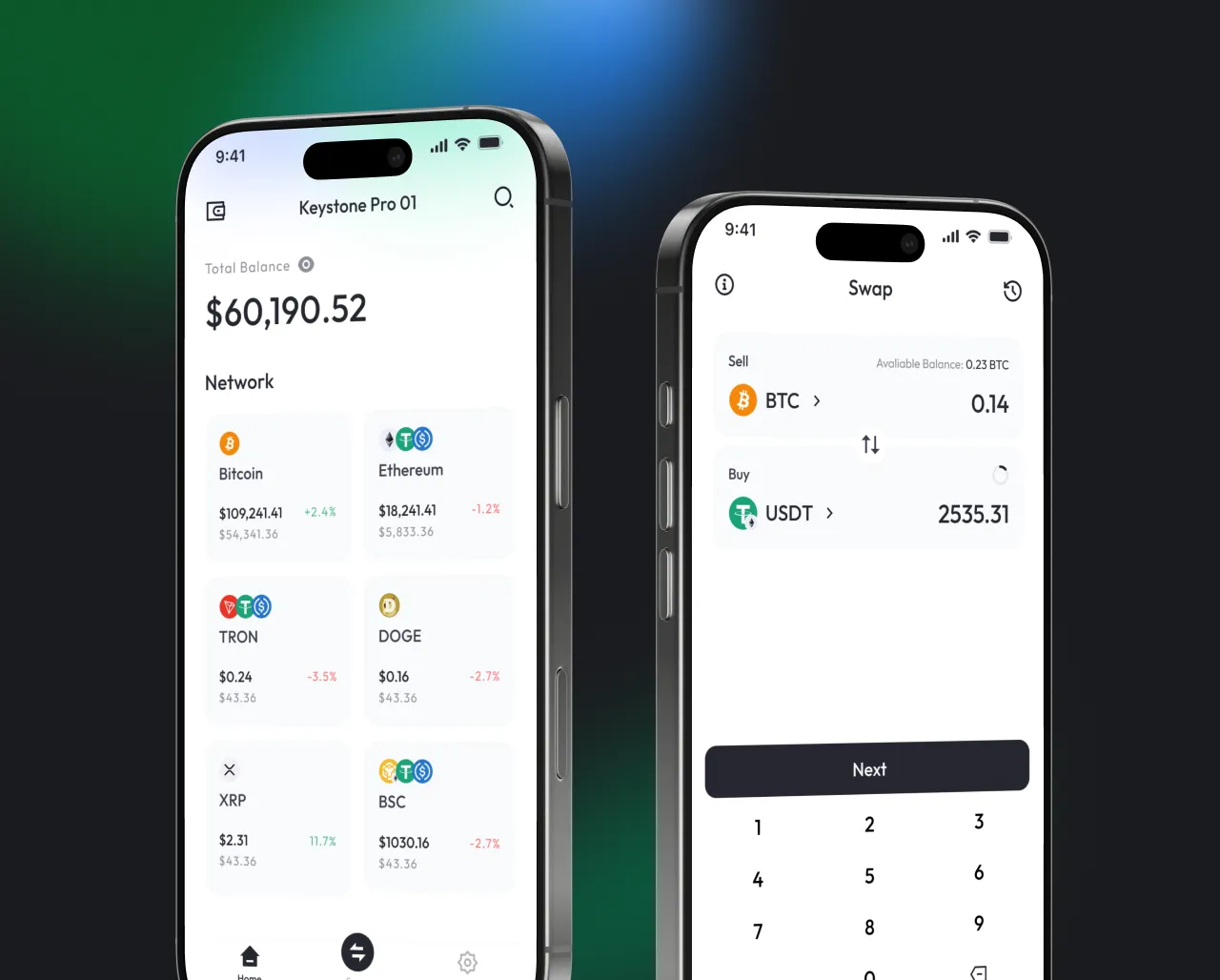
The Crypto Companion App Designed for Security and Simplicity
All your crypto, one intuitive app. Effortlessly manage BTC, ETH, XRP, and beyond — send, receive, and swap with full confidence, powered by air-gapped security and zero learning curve.
The Ultimate Security Checklist
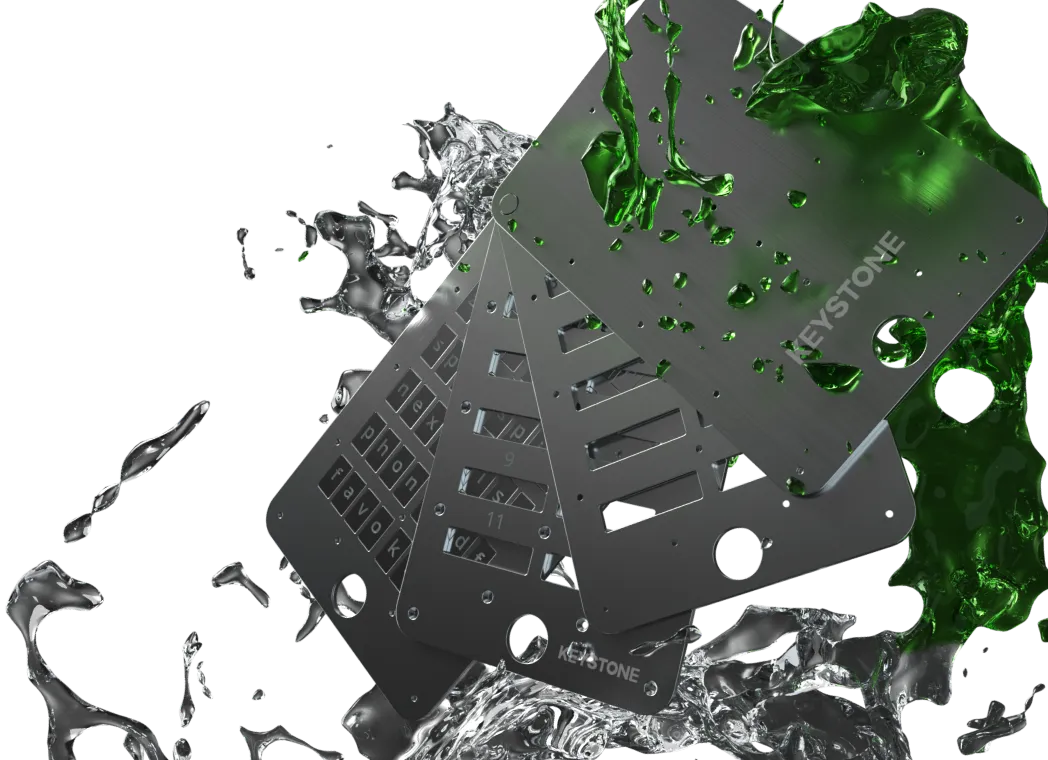
Is your recovery seed still on paper?
'/%3e%3crect%20x='18'%20y='59'%20width='44'%20height='1.5'%20fill='%2383868F'/%3e%3ccircle%20cx='29'%20cy='15'%20r='2'%20fill='%23E0516E'%20fill-opacity='0.24'/%3e%3ccircle%20cx='51'%20cy='15'%20r='2'%20fill='%23E0516E'%20fill-opacity='0.24'/%3e%3c/svg%3e)